Domain Names and Internet Mail Configuration
In WebCit, navigating to System Configuration → General → Domain names and Internet configuration opens the central control panel for routing inbound and outbound Internet email, configuring anti-spam and antivirus scanners, and managing domains hosted on your server.
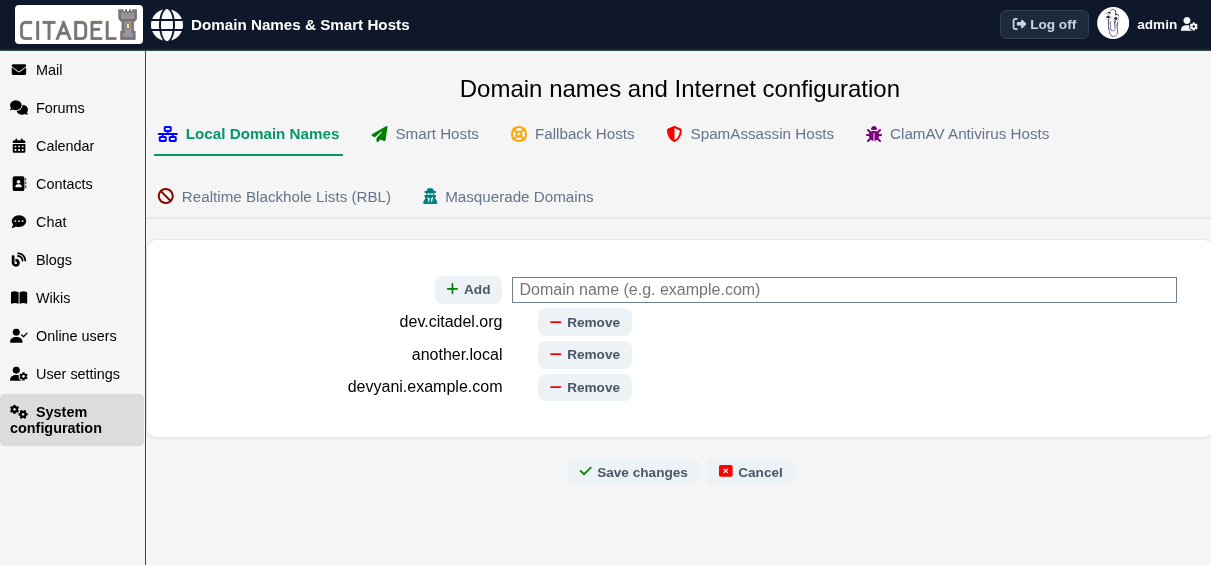
Configuration Options
Local Host Aliases
This setting specifies every domain name and hostname for which this Citadel server accepts delivery. For example, if your server handles mail for both example.com and example.org, list both domains here, one per line. When inbound email arrives, Citadel checks this list to determine whether the recipient address is local or needs to be forwarded.
Ensure that your external DNS records (MX and A/AAAA records) point to your server for every alias you list.
Smart Hosts
By default, Citadel delivers outbound email directly to the destination MX servers. If your ISP blocks outbound port 25, or if you route your email through a corporate relay or commercial SMTP gateway, enter your relay server here.
Entries may be a simple hostname, an IP address, or a full URI specifying credentials and ports (such as smtp://user:password@relay.example.com:587 or smtps://relay.example.com:465). If you enter multiple smart hosts, Citadel distributes traffic between them and provides automatic failover. For comprehensive details, see Configuring Outbound Relaying (Smart Hosts).
RBL Hosts (DNSBL)
Realtime Blackhole Lists identify IP addresses known to originate spam, open relays, or malware. Citadel queries these DNSBL providers in real time during the initial SMTP handshake and rejects mail from listed senders before accepting message content. Enter one DNSBL zone per line (such as zen.spamhaus.org). For more guidance, see Blacklists (RBLs or DNSBL).
SpamAssassin Hosts
Enter the hostname or IP address of the SpamAssassin spamd daemon (typically 127.0.0.1 when running on the same host). Citadel connects to port 783 to scan inbound message content and apply your spam thresholds.
ClamAV Antivirus Hosts
Enter the hostname or IP address of the ClamAV clamd daemon (typically 127.0.0.1) listening on TCP port 3310. Inbound messages and attachments are streamed to ClamAV for immediate virus inspection and rejected if malware is detected.
Masqueradable Domains
By default, Citadel prevents users from sending outbound mail with a "From:" address from domains other than those defined in Local Host Aliases. If you have an edge-case requirement where authorized users need to send mail using an external domain name, list that domain under Masqueradable Domains.